

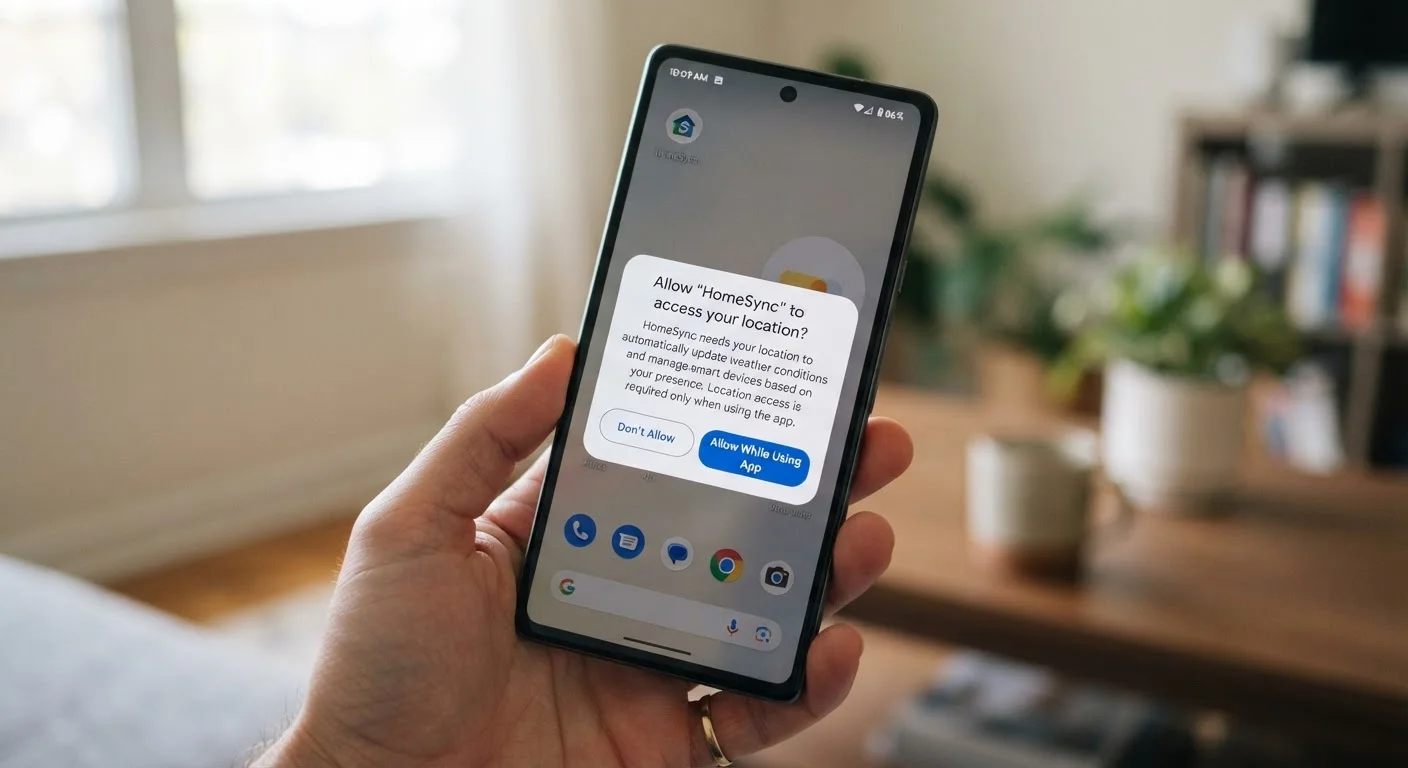
Why App Permissions Deserve More Than a Quick Tap
When you install a new app, a series of pop-ups tends to follow - access to your location, your contacts, your camera. Most people tap through them without much thought, which is exactly what app designers count on.
The truth is that many apps ask for access they don't need to do what you downloaded them for. That extra access often feeds advertising systems or data brokers rather than improving your experience. Reviewing what you've already approved - even once - is one of the simplest privacy steps you can take. For a broader audit of your device, the Smartphone Privacy Settings Worth Checking Right Now walks through a full checklist on both major platforms.
Below are the specific permissions that most commonly exceed what's genuinely necessary, and what to think about before granting each one.
Precise Location (Always On)
Location access comes in two flavors: while using the app and always. The first is often reasonable - a maps app needs to know where you are when you're navigating. The second, which runs in the background even when the app is closed, rarely benefits you directly.
Weather apps, retail apps, and games frequently ask for always-on location without a functional reason. Check how many apps on your phone have background location enabled and trim it down to the few that genuinely need it - navigation, ridesharing, or a fitness tracker you actively use outdoors.
Background location access runs even when an app is closed - most apps don't need it.
Microphone Access
A microphone permission makes obvious sense for a voice memo app or a video calling tool. It makes far less sense for a flashlight utility, a coupon app, or a simple game.
Some apps have used microphone access to detect ambient audio - TV shows, ads, or background conversations - to build a profile of your environment for advertisers. You can't always know how an app uses this access once it's granted. For any app where voice input isn't a core feature, declining microphone access is a reasonable default. See what each permission actually accesses for more context on what this access enables.
If an app has no voice feature, it has no good reason to access your microphone.
Contacts
Access to your contacts gives an app names, phone numbers, email addresses, and sometimes notes or birthdays - not just about you, but about everyone in your address book. Those people never agreed to share their information with a third-party app.
Social and messaging apps often request contacts to help you find people you know. That's understandable. But many shopping apps, utilities, and productivity tools ask for the same access with no clear user benefit. If the app doesn't have a social or communication function, contacts access is worth questioning.
Granting contacts access shares data on everyone in your address book, not just you.
Camera Access
Camera permissions are necessary for apps that scan, photograph, or video chat. But the camera is also one of the more sensitive permissions on your phone, and it's worth knowing which apps hold it.
Some apps request camera access during setup and retain it indefinitely, even if you only used that feature once. Go through your camera-permitted apps and ask whether each one still needs it, or whether you simply haven't thought to revoke it since installation.
Old apps may still hold camera access from a one-time setup step you've long forgotten.
Tracking (App Tracking Transparency on iPhone)
On iPhones running recent operating system versions, apps are required to ask before tracking your activity across other companies' apps and websites. This is separate from the permissions above - it's specifically about cross-app advertising profiles.
Saying no to tracking doesn't break the app. It limits how much data about your broader phone behavior gets shared with advertising networks. For most apps, especially free ones, this is worth declining unless you have a specific reason to allow it. For more on how free apps monetize your data, The Hidden Costs Inside Free Apps explains the broader picture.
Declining tracking on iPhone doesn't affect app function - it limits cross-app ad profiling.
Bluetooth
Bluetooth permissions have expanded in recent years. Apps can use Bluetooth not just to connect to a device like headphones, but to detect nearby Bluetooth signals - effectively tracking your physical location without using GPS.
Retail apps sometimes use this to detect when you're near a store. If an app requests Bluetooth access and has no obvious hardware pairing function, that's worth a pause. You can usually deny it and the app will still work.
Bluetooth can be used to estimate your location even when location access is denied.
How to Actually Review and Change Permissions
On an iPhone, go to Settings, scroll down to any app name, and you'll see exactly which permissions it holds. On Android, go to Settings > Apps, select the app, then tap Permissions. Both platforms also let you view permissions by category - useful for checking which apps have access to your location or microphone at a glance.
Set a reminder to check permissions periodically
App permissions can change after updates - an app that only needed camera access at install might quietly request microphone or location later. Setting a calendar reminder once or twice a year to review your permissions takes only a few minutes and keeps things current. This pairs well with a broader annual privacy check across your accounts and devices.
Revoking a permission is rarely permanent - you can grant it again any time the app needs it. Think of it less as blocking an app and more as deciding when it earns access.
If you find yourself doing a broader clean-up, it's worth pairing this with a look at keeping your apps organised - fewer installed apps means fewer permissions to manage overall. And for a wider privacy review beyond just permissions, The Privacy Settings Check You Should Do at Least Once a Year covers accounts, browsers, and devices too.
The content on this site is for informational purposes only and is not a substitute for professional advice. Always consult a qualified professional for guidance specific to your situation.