

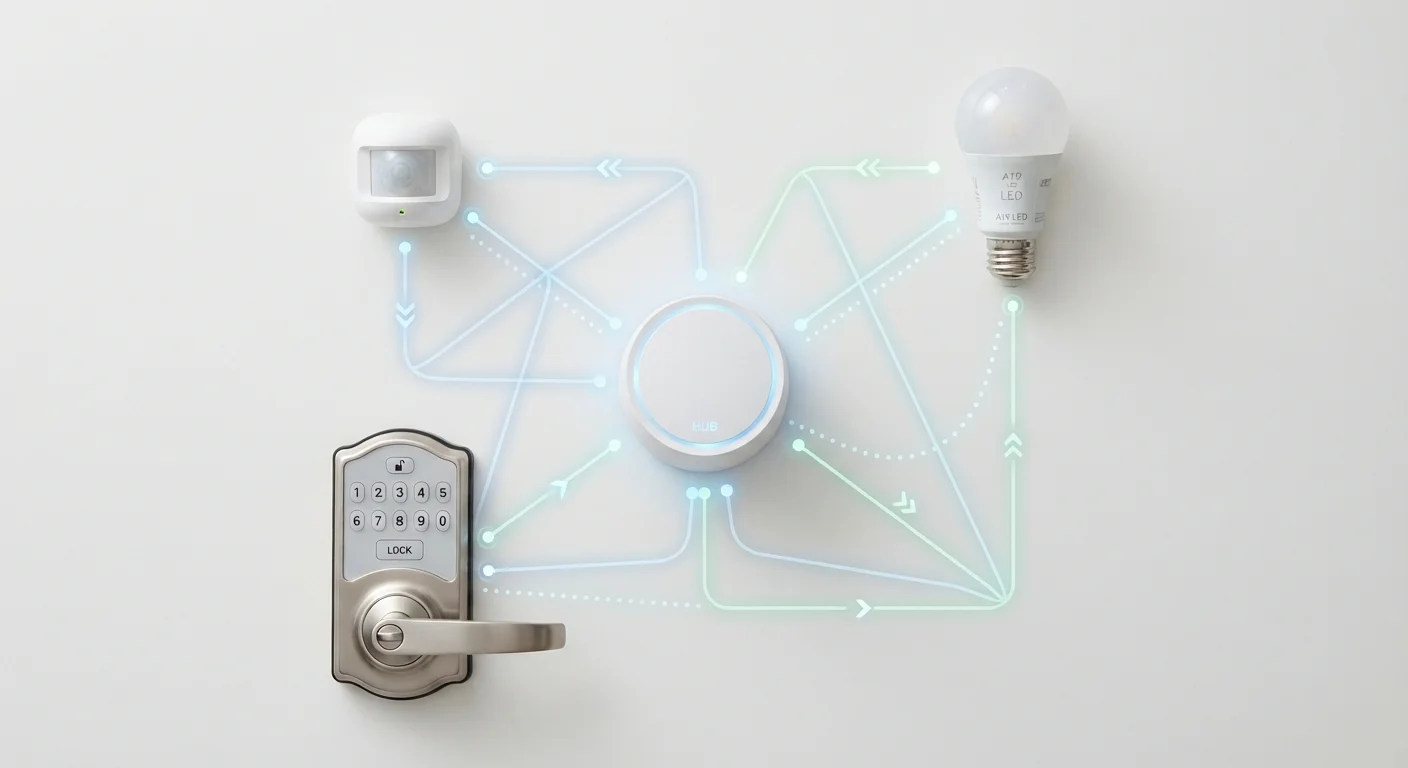
Why Your Smart Devices Don't All Speak the Same Language
If you've ever wondered why some smart bulbs connect directly to your Wi-Fi while a smart door lock needs a separate hub, the answer comes down to wireless protocols - the communication standards devices use to send and receive signals. Each protocol was designed with different priorities: range, battery life, speed, and network reliability. Understanding the basics helps you buy smarter and troubleshoot faster.
For a broader look at everyday wireless technologies like Wi-Fi and Bluetooth, see our plain-English wireless reference. This article focuses specifically on the protocols built for smart home devices.
| Wi-Fi frequency bands | 2.4 GHz and 5 GHz |
| Zigbee frequency band | 2.4 GHz (globally) |
| Z-Wave US frequency | ~908 MHz |
| Thread underlying radio standard | IEEE 802.15.4 (same as Zigbee) |
| Hub typically required | Zigbee: yes; Z-Wave: yes; Wi-Fi: no; Thread: usually no |
| Best for battery-powered devices | Zigbee, Z-Wave, or Thread |
The Four Major Protocols, Explained
Wi-Fi
Wi-Fi connects devices directly to your home router - the same network your phone and laptop use. Because no hub is required, setup is usually straightforward. The trade-off is power consumption: Wi-Fi radios draw significantly more energy than alternatives, making it a poor fit for battery-powered devices. It works best for plugged-in gadgets like video doorbells, smart plugs, and streaming speakers.
Zigbee
Zigbee is a low-power protocol that creates a mesh network - each device can relay signals from others, extending coverage across a large home. It typically requires a hub or smart home controller to bridge Zigbee devices to your Wi-Fi network and smartphone apps. Zigbee is popular for smart bulbs, sensors, and outlets where long battery life and reliability across many devices matter.
Z-Wave
Z-Wave works similarly to Zigbee - mesh networking, hub required, low power - but it operates on a dedicated radio frequency (around 908 MHz in the US) that avoids the congested 2.4 GHz band shared by Wi-Fi and Zigbee. This can reduce interference in homes with many wireless devices. Z-Wave also enforces strict certification standards, so devices from different brands tend to interoperate more reliably than with some other protocols.
Thread
Thread is a newer mesh networking protocol designed to address the hub-dependency problem. It runs over the same radio layer as Zigbee (IEEE 802.15.4) but uses an IP-based architecture, meaning Thread devices can communicate more like computers on the internet. Thread underpins part of the Matter standard - a cross-brand smart home initiative backed by major tech companies - and is increasingly found in newer smart home products.
Wireless Protocol
A set of rules that governs how devices communicate wirelessly - what frequency they use, how data is structured, and how devices identify each other. Different protocols make different trade-offs between speed, range, and power use.
Mesh Network
A network where each device can relay data from other devices, rather than every device connecting directly to a central router. This extends range and improves reliability, especially in larger homes.
Hub
A central device that bridges smart home gadgets using protocols like Zigbee or Z-Wave to your Wi-Fi network and internet-connected apps. Without a hub, these devices typically cannot be controlled remotely.
Matter
An open smart home interoperability standard developed by a group of major tech and device companies. Matter-certified devices are designed to work across different brand ecosystems and voice assistants.
Thread Border Router
A device - often a smart home hub, smart speaker, or router - that bridges a Thread mesh network to your regular IP network, enabling remote access and app control without a separate protocol-specific hub.
How to Use This Information When Shopping or Troubleshooting
Knowing which protocol a device uses helps you predict what else you'll need and what to expect day-to-day.
- Hub or no hub? Wi-Fi and Thread (when paired with a Thread Border Router, often built into modern smart home hubs or some routers) don't require a separate hub per protocol. Zigbee and Z-Wave almost always do.
- Battery life: If a device runs on batteries, look for Zigbee, Z-Wave, or Thread rather than Wi-Fi.
- Network congestion: Homes with dozens of Wi-Fi gadgets may find Z-Wave's dedicated frequency more stable.
- Cross-brand compatibility: Matter-certified devices aim to work across ecosystems (Apple Home, Google Home, Amazon Alexa) regardless of the underlying transport protocol. If long-term flexibility matters to you, Matter support is worth checking on the product listing.
Matter Doesn't Replace These Protocols
Matter is an application-layer standard - it defines how devices talk to apps and each other at a high level, but it still relies on underlying transports like Wi-Fi, Thread, or (for some device types) Ethernet. A Matter label on packaging tells you about app compatibility, not which radio protocol the device uses internally. Always check the full spec sheet if the underlying protocol matters to your setup.
If you're just getting started with connected devices, our guide on setting up a smart home without a tech headache walks through practical first steps. And for a deeper look at how local versus cloud operation affects reliability, see our piece on local control vs. cloud-dependent smart devices.
The content on this site is for informational purposes only and is not a substitute for professional advice. Always consult a qualified professional for guidance specific to your situation.