

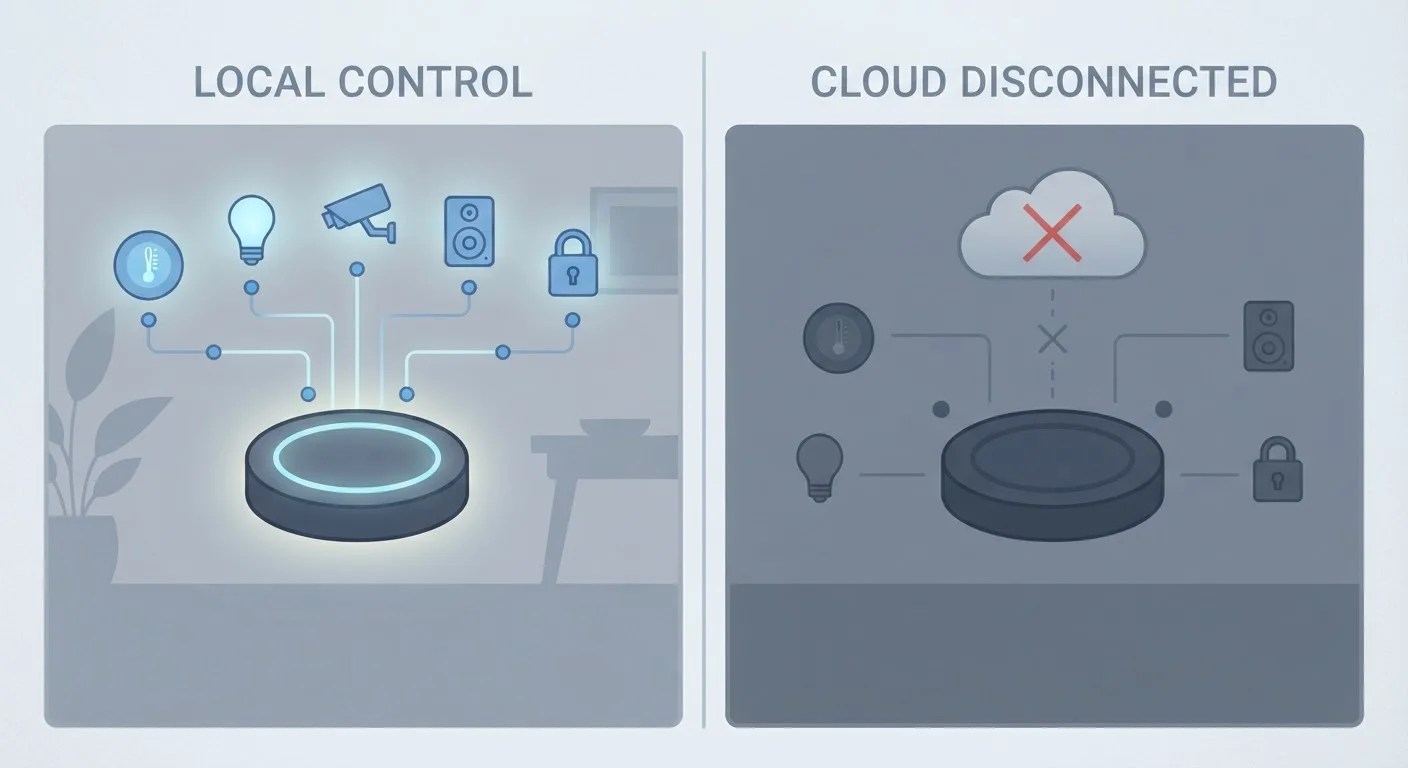
Option A
Local Control
The self-sufficient, internet-independent approach.
Best for: Households that want smart devices to keep working during outages or without relying on a manufacturer's ongoing server infrastructure.
Option B
Cloud-Dependent Control
The connected, feature-rich but externally reliant approach.
Best for: Users who want easy remote access and rich integrations and are comfortable depending on a company's cloud service remaining active.
What "Local Control" and "Cloud-Dependent" Actually Mean
When you tap your phone to turn on a smart light, that command has to travel somewhere before anything happens. Local control means the command stays entirely on your home network - your phone talks to a hub or directly to the device without ever leaving your house. Cloud-dependent control means the command travels out to a company's remote server and bounces back to your device, even if you're sitting three feet away from it.
In practice, that routing difference has real consequences. A locally controlled smart lock still works during an internet outage. A cloud-dependent smart bulb may not respond if the manufacturer's servers are having a bad day - or if the company has closed down entirely.
It's worth noting that many devices blend both. A smart thermostat might handle automations locally but require the cloud for voice assistant commands or phone access when you're away from home. The question isn't always binary; it's about which functions require the cloud and which don't. For a broader look at how connectivity choices shape your setup, see Wired vs. Wireless Smart Home Devices.
| Criterion | Local Control | Cloud-Dependent Control |
|---|---|---|
| Works without internet | Yes, fully functional | Usually not, or limited |
| Remote access when away | Requires extra setup | Built in via app |
| Risk from server shutdown | None | Device may stop working |
| Privacy (data transmission) | Stays on home network | Sent to external servers |
| Ease of initial setup | Often more involved | Typically simpler |
| Typical protocols | Zigbee, Z-Wave, Matter | Wi-Fi with manufacturer app |
| Long-term device lifespan | Not tied to vendor status | Depends on vendor uptime |
The Real-World Risks of Cloud Dependency
Cloud dependency introduces two categories of risk that don't apply to local setups: temporary outages and permanent shutdowns.
Temporary outages happen when a manufacturer's servers go down, your ISP has problems, or your home router loses its connection. During those windows, cloud-dependent devices may become entirely unresponsive - including ones you're standing right next to.
Permanent shutdowns are a less obvious but more serious risk. When a company discontinues a product or goes out of business, the cloud infrastructure supporting your devices may be switched off. Hardware that worked fine the day before can become non-functional overnight with no recourse. This has happened with real product lines across the smart home industry.
16+
Smart home platforms shut down since 2019
Multiple consumer smart home services - including those from well-known brands - have been discontinued, disabling hardware that still functioned physically.
~30%
US homes with at least one smart device
Statista estimates roughly three in ten US households own at least one connected home device, a figure that has grown steadily through the early 2020s.
Local control sidesteps both risks. Because commands never leave your network, your devices don't care whether the manufacturer still exists or whether your ISP is having a rough morning. The trade-off is that purely local setups typically require more initial configuration and may not support remote access without additional setup. If you're navigating the networking side of this, Home Network Mistakes That Quietly Undermine Your Smart Devices is a useful companion read.
How to Tell Which Type of Device You Have
Product listings and packaging rarely advertise cloud dependency - you usually have to dig a little. Here are practical ways to tell:
- Check the app setup flow: If the first step involves creating an account with the manufacturer, the device almost certainly routes through their cloud.
- Look at the protocol: Devices using Zigbee, Z-Wave, or the newer Matter standard generally support local processing more readily than Wi-Fi-only devices that connect directly to a manufacturer's app. For a deeper explanation, see Wi-Fi, Zigbee, Z-Wave, and Thread.
- Test it offline: Temporarily disconnect your router and try operating the device from your local network. If it stops responding entirely, it's cloud-dependent.
- Review the privacy policy: Cloud-dependent products typically describe data being transmitted to and stored on external servers.
The Matter standard deserves a mention here. It was designed partly to improve local control and cross-brand compatibility. Matter: The Smart Home Standard is still maturing, but devices certified under it tend to handle local commands more reliably than older Wi-Fi-only alternatives.
Matter Doesn't Automatically Mean Local Control
Matter certification improves the likelihood of local processing and cross-brand compatibility, but it doesn't guarantee every feature works offline. Some Matter-certified devices still route certain functions - particularly voice assistant commands - through the cloud. Check the product's documentation to understand which specific capabilities operate locally and which require an internet connection.
Building a Setup That Works for You
Neither approach is universally better - it depends on what you value. If you want devices that just work, including during outages, lean toward local-control hardware and a hub-based setup. If you're starting simple and want a low-friction experience, cloud-connected devices with polished apps are genuinely easier to set up, particularly if you're new to smart home tech. The Setting Up a Smart Home Without Turning It Into a Tech Project covers that entry-level path well.
A pragmatic middle ground is to choose devices that work locally by default but optionally use the cloud for remote access. That way, your automations and in-home controls remain functional regardless of external conditions, while you still get the convenience of checking in from your phone when you're away.
The most important habit is simply asking the question before you buy: what happens to this device if the company's servers go away? Devices that have a clear local-control answer are generally a safer long-term investment than those that can't function without a live cloud connection.
The content on this site is for informational purposes only and is not a substitute for professional advice. Always consult a qualified professional for guidance specific to your situation.